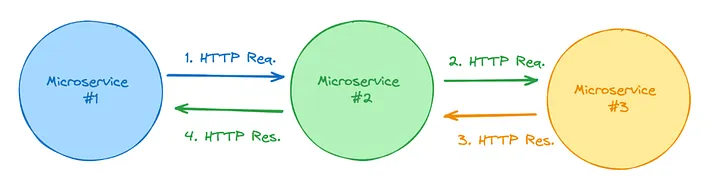
When you are working with microservices, the inter-service communication is the most important factor to determine your system speed, performance, scalability and reliability.
I tried setting this up on our prod-environment, and found out this is not that straightforward, so I wrote this blog to help others not waste their precious time (which they can use to play Valorant).
What is AWS Service Connect?
Well, AWS Service Connect is a capability within Amazon Elastic Container Service (ECS) that simplifies service-to-service communication for microservices deployed on ECS (only).
AWS offers Service Connect to facilitate the ECS-to-ECS communication scenarios offering:
Built-in resilience:
- Automatic load balancing across healthy tasks.
- Automatic retries for transient errors (e.g., 503s).
- Connection draining for graceful shutdown.
- Health checks at the network level, immediately removing unhealthy targets from rotation.
Enhanced observability:
Automatically collects detailed application-level network metrics (e.g., request counts, error rates, latency) and sends them to CloudWatch, providing insights into service-to-service communication.
Simplified networking:
Removes the need for complex networking setups like custom DNS configurations or manual load balancer setups for inter-service communication within ECS
How to setup Service Connect within your AWS ECS cluster?
Read the full blog here.